
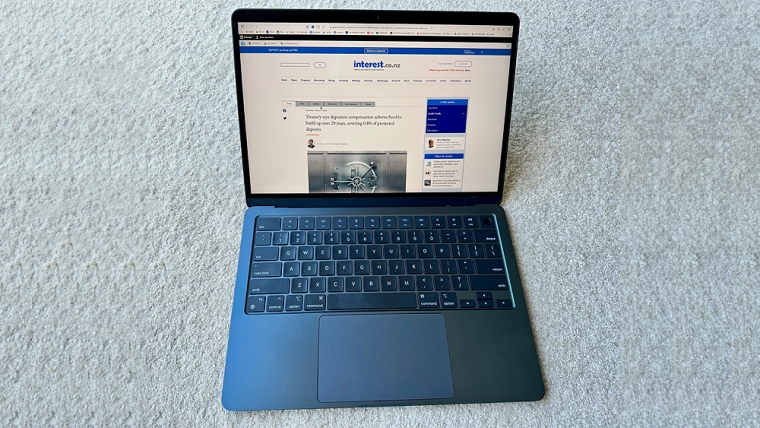
The newly updated MacBook Air with Apple’s M3 system-on-a-chip (SoC) is the volume selling laptop for the hardware-oriented Californian tech giant, aimed at every-day general use. Overall, the laptop is a worthwhile upgrade on previous models, one that ticks the usual Apple quality boxes.
We received a 24 gigabyte memory MacBook Air M3 for review, with 2 terabytes of storage, priced at $4149 including GST. If you get the base model, with 8 GB memory and 256 GB of storage, you’re looking at $2049 including GST.
No matter the specification, the MacBook Air is a nicely built lightweight laptop (1.24 kg) that’s 11.3 mm thin; our review sample was in Midnight Blue, and there are three more case colours to choose from. Slim and light are the keywords for the MacBook M3 Air chassis which is designed with a fanless active cooling system thinness and lower weight.
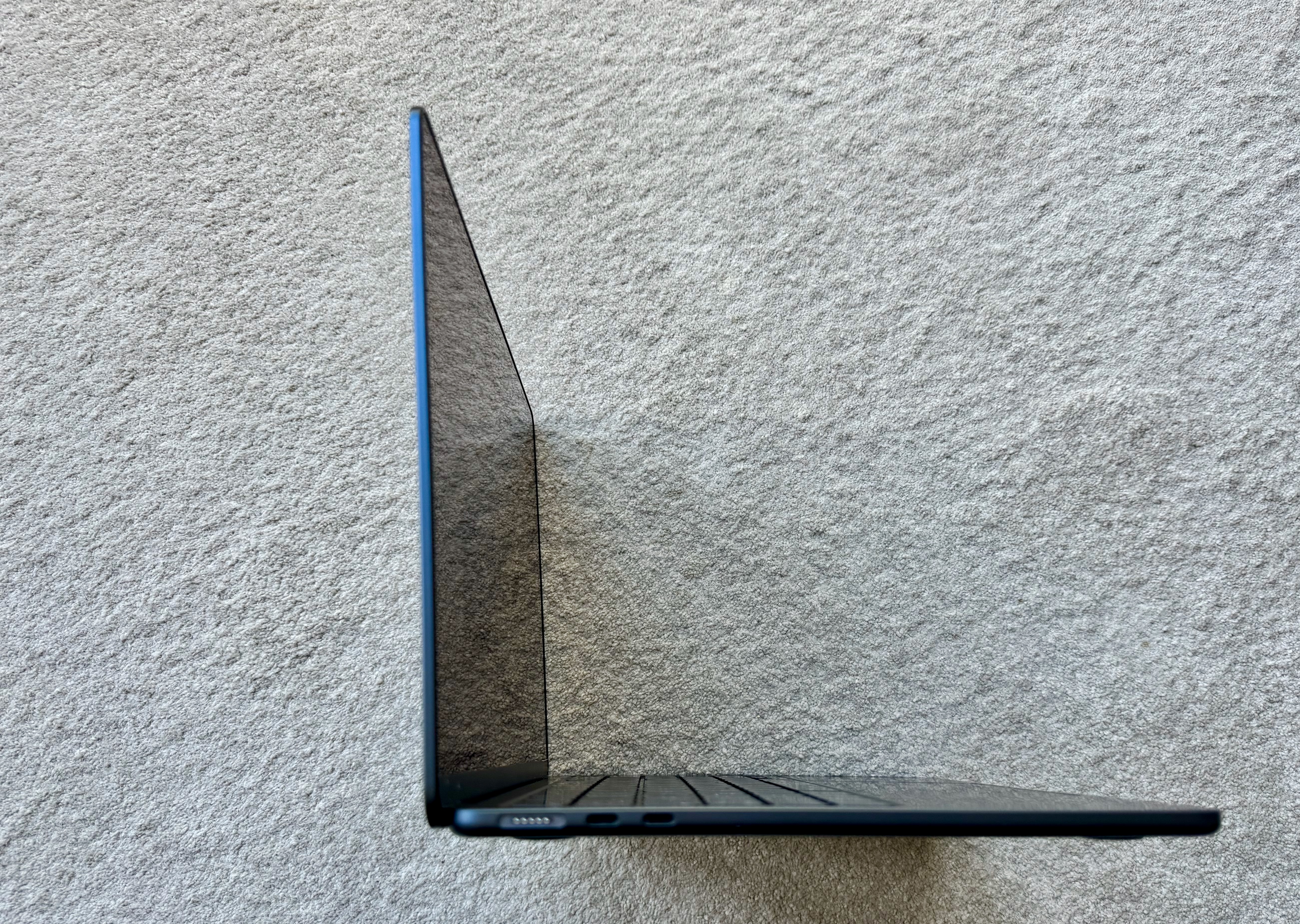
The display is an excellent 13.6-inch LED-backlit Liquid Retina screen with 2560-by-1664 pixel native resolution and 500 nits brightness which can display a billion hues. There are no fancy display extras like a touch screen, or pen support; that is what iPads are for in Apple’s book.
Apple has banished the keyboard gremlins of the past and recent MacBooks this writer has tested have withstood copious amounts of typing; furthermore, the big Touch Pad for the cursor, with haptic feedback and no moving parts, is as great to use as before.
You get two USB-C ports with the MacBook Air M3, plus a 3.5 mm headphone jack and a MagSafe 3 charging port. Speaking of the latter, Apple has started bundling MagSafe cables in the same colour as the case which looks great… but the charger (35 Watts supplied for the Air) is white. Ditto the USB-C plug at the end of the cable.
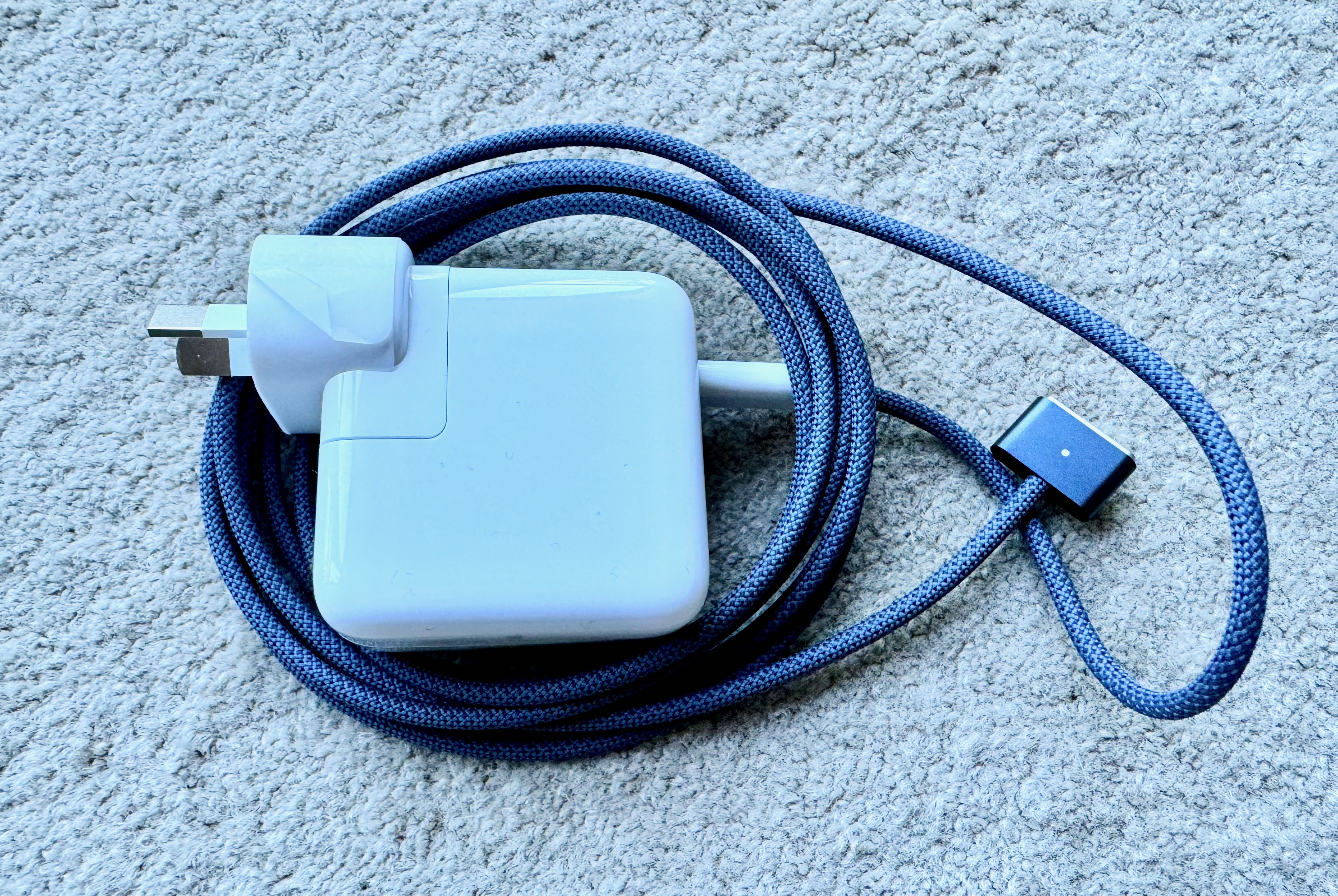
Call me picky, but it’s a little jarring, aesthetically. Funnily enough, the 35 W charger has two USB-C connectors which is handy for topping up devices’ batteries, but not so the 70 W one that’s also available.
Plenty of performance and all-day battery life
Despite being the entry level SoC in the range, Apple’s M3 is plenty fast. Here are some sample benchmarks:
| BAPCo Crossmark 1.0.1.88 Enterprise | |
| Overall score | 1866 |
| Productivity | 1725 |
| Creativity | 2242 |
| Responsiveness | 1364 |
| CineBench 2024 1.0 | |
| GPU | 3610 |
| CPU | 579 |
| Blackmagic Disk Speed | |
| Write (MB/s) | 3285 |
| Read (MB/s) | 3012 |
| Geekbench 6 and ML | |
| CPU single core | 3061 |
| CPU multi core | 12,075 |
| GPU Metal | 47,615 |
| ML Neural Engine | 8131 |
That is a lot of numbers, but benchmarks are software tests that aim to give you an idea of how fast the computer you’ve bought is doing different tasks because, err, it’s a bit tricky to tell that by just looking at the device.
In the above table, the Business Application Performance Corporation (BAPCo) Crossmark scores are set to be comparable across different operating systems, like Apple iOS and macOS, Microsoft Windows, and Android and the hardware architectures they run on.
BAPCo uses a Lenovo ThinkCentre M720q, with a Intel Core i5-8500T processor at 2.10 GHz speed, running Windows 10 as the calibration system, and it scores 1000 on the tests which typical day to day computing usage scenarios using applications.
The other tests, like CineBench, Blackmagic Disk Speed and Geekbench, measure particular computer hardware subsystems like the processor, the graphics unit, memory speed, and how quick the disk where you store files is. Yes it's all very very geeky.
Whereas Microsoft and Intel have gone in fully with AI, Apple’s hasn’t been banging that gong as loudly. The M3’s 16-core Neural Engine can perform 18 trillion operations per second. Geekbench ML (machine learning) figures suggest it’s a little slower than the equivalent part in a range-topping MacBook Pro M3 Max, but only about 12-15%.
As you run benchmarks like CineBench, the MacBook Air’s temperature sensors show readings of over 100 degrees C. The chassis heats up somewhat, but the MacBook Air never feels like it’ll fry your lap, although you see some throttling back on heavy graphics rendering tasks to control temperatures.
Battery life is a claimed 18 hours; in practice, it’s easy to go through a whole working day without charging and still have 60% to 70% battery left which is excellent.
Picking the right amount of memory and storage
Apple has used the Arm architecture processors it designs to great effect, and they are now energy-efficiently powering the entire range of devices from iPhones to iPads and Macs. Combining high-performance computing with miserly energy usage in a thin package is an engineering challenge though and there are design quirks in the M-series of Apple Silicon SoCs.
First, the M-series Apple Silicon uses Unified Memory (UM), which is shared between the central, graphics and neural processing units (CPU, GPU and Neural Engine, respectively), on the SoC. Normally, a GPU has its own dedicated video memory, just like the CPU has, and never shall the twain mix it up.
A fast UM implementation offers some compelling advantages like low latency and greater efficiency along with device thinness that’s very desirable for customers. This memory uses a low power design, in which the electric signals levels are kept low. This in turn means they don’t go that far.
As a result, the memory chips are soldered onto the inside the M3 SoC board, next to the processors. The long and short of it is that you have to estimate how much memory you think you’ll need when you buy a MacBook as you can’t upgrade it afterwards.
The MacBook Air M3 range starts with just 8 gigabytes of UM, which Apple says is enough for light computing tasks like web browsing. It probably is too, with the fast solid state storage onto which the processor can offload items in memory being able to help.
For heavier duty applications, there’s a 16 GB option. This is the middle ground and most likely the sweet-spot to go for if you’re keeping the M3 Air for a while, as it gives more headroom for demanding software and tasks.
Incidentally, the 24 GB our review machine has is the maximum a MacBook Air can be equipped with, due to the number of memory controllers on the M3, and size of the chips.
If you need more memory, you’ll have to head over to MacBook Pro land, with M3 Pro and M3 Max SoCs that support up to 128 GB and have higher bandwidth as well.
Like the processor memory, the storage in the MacBook Air isn’t upgradable. Here, it’s worth thinking carefully about what to go for, and my take is that 256 GB isn’t enough. Moving up to 512 GB is a must, maybe even 1 TB if the budget allows. To a degree, you can work around lower storage capacities with external drives (and the M3 Air has very fast interfaces for that), or cloud storage. It does require another device at the end of a cable to lug around though, or a fast internet connection.
M2 Air or M3 Air? 15-inch screen? Or an M3 MacBook Pro?
Although they look similar on the outside, the M3 MacBook Air brings a number of upgrades over last year’s M2 equipped model. First, the M3 is built with a 3 nanometre process, whereas the M2 is 5 nanometres. This along with a 25 per cent increase in the number of transistors brings around a fifth better processing performance, and almost as much hike in graphics speed without sacrificing power efficiency.
Inside the M3, you’ll find an eight-core CPU, a 10-core GPU and a 16-core NPU.
The M3 also has Dynamic Caching, hardware AV1 encoding and ray tracing support that bump up graphics performance for games and video work, again while keeping energy consumption down. Those might not be the obvious workloads for a MacBook Air, but the 16 and 24 GB models can chew through them just fine.
Compared to the M2, you get support for two external monitors with the M3 MacBook air - but only with the lid closed. One screen can support up to 6K resolution, while the other (with the lid closed) tops out at 5K, but there's a full one billion colour gamut and 60 Hz refresh rate for both.
That does mean you’ve used up both USB-C ports on the MacBook Air M3, and might have to start looking at a dock for more external accessory connectivity.
The fast Wi-Fi 6E support is great too, provided your wireless access point supports it as well; overall, the premium for the M3 Air - $250-$300 - over the M2 is worth it. Adding another $400 to the price of the 13-inch Air buys a device with a 15-inch screen, which isn’t too bad if you want more display real estate and space for bigger hands.
However, this is where a 14-inch MacBook Pro with an 11/14 core M3 Pro CPU/GPU, 18 GB of UM and 1 TB of storage starts looking good at $4,349 including GST. The MacBook Pro laptop is heavier, not as thin, there's 6 GB less UM, and it has fans (that are rather quiet); but there’s better performance, a brighter screen, more ports, and longer battery life.
Either way, if you’re set on the MacBook M3 Air, fret not: moving up from the older Airs with Intel and Apple Silicon M innards, it's a great workhorse that's easy to live with and will do just about everything users want with ease.
We welcome your comments below. If you are not already registered, please register to comment
Remember we welcome robust, respectful and insightful debate. We don't welcome abusive or defamatory comments and will de-register those repeatedly making such comments. Our current comment policy is here.